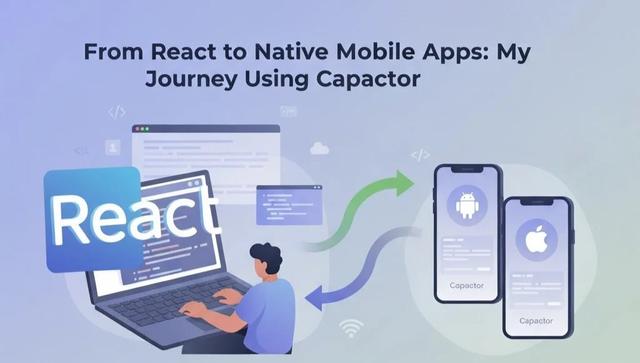
From React to Native Mobile Apps: My Journey Using Capacitor
During my job, my senior staff approached me and said: "We have this React web project, but we also need it as a mobile application." At first, I was a bit unsure how to approach it efficiently. So I decided to research ways to create native applications from a single codebase. 📱💻
Normally, writing separate code for Web android and iOS can take a lot of time and effort. Today, I discovered a fantastic platform called Capacitor. Using Capacitor, you can take your React code and build it for Android, iOS and Web - all from a single codebase. 🚀
💡 What is Capacitor?
Capacitor is a modern cross-platform framework created by the team behind Ionic. It allows web developers to use **one codebase** to deploy applications on multiple platforms. Essentially, your React app runs inside a native container, giving you access to native device APIs while still writing in React.
🌟 Why Use Capacitor?
- Single Codebase: No need to write separate code for Android, iOS and Web.
- Access to Native Features: Use camera, geolocation, notifications, storage, sensors and more via plugins.
- Rapid Development: Deploy web updates instantly without rebuilding native code.
- Cross-Platform Compatibility: Works seamlessly with React, Angular, Vue, or vanilla JS projects.
- Plugin System: Integrate third-party native plugins or write your own custom plugins.
- Open Source: Free, flexible and maintained by a large developer community.
📌 Where We Use Capacitor
Capacitor is ideal in many scenarios:
- Converting a React web app into a mobile app for iOS and Android.
- Building apps that need device features like GPS, camera, or push notifications.
- Quickly prototyping mobile apps without learning Java/Kotlin or Swift.
- Freelance projects where clients want multi-platform apps but limited budget or time.
- Internal company apps for employees, dashboards, or productivity tools.
🛠️ Setting Up Capacitor in a React Project
Here’s a step-by-step guide to get your React app running as a native mobile application:
1️⃣ Install Capacitor
npm install @capacitor/core @capacitor/cli
2️⃣ Initialize Capacitor
npx cap init
3️⃣ Build Your React App
npm run build
4️⃣ Add Android Support
npm install @capacitor/android
npx cap add android
npm run build
npx cap copy
npx cap open android
✅ Note: npx cap copy copies your React build files into android/app/src/main/assets/public/
5️⃣ Sync Changes (Optional)
npx cap sync
✅ This will copy your new web assets and also update native dependencies if plugins or configurations change.
🍏 Setting Up iOS
Before adding iOS platform, make sure you have the following:
- macOS: Xcode only runs on macOS.
- Node.js & npm/yarn: Already installed for your React project.
- Capacitor CLI: Installed as before.
- CocoaPods:
sudo gem install cocoapods - Xcode: IDE for building iOS apps.
2️⃣ Installing Xcode
- Open the Mac App Store → Search for Xcode → Install
- Open Xcode once to accept the license agreement
- Optional: Install Command Line Tools
xcode-select --install
3️⃣ Verify Installation
xcode-select -p
xcodebuild -version
4️⃣ Add iOS Platform
npx cap add ios
npm run build
npx cap copy ios
npx cap open ios
✅ Now you can run your app on a simulator or a real iOS device.
🚀 Benefits Recap
- Develop once, deploy everywhere - Web android, iOS.
- Access device APIs easily via plugins.
- Maintain a single codebase for faster development.
- Perfect for freelancers, startups, or internal company apps.
- Significantly reduces time and effort compared to writing separate native apps.
💬 Final Thoughts
Capacitor is a game-changer for developers who know React and want to create native apps efficiently. It saves time, simplifies deployment and allows you to use a single codebase for multiple platforms. If your clients ever ask for both web and mobile versions, Capacitor is the perfect solution. ✨
Recent Posts

How to Get More Customers from Google: A Complete Guide for Local Businesses

How Real-World Projects Helped Me Become a Web Developer at Webinnova Ltd
Deploy Express + React on Hostinger VPS: Complete Step-by-Step Guide
